

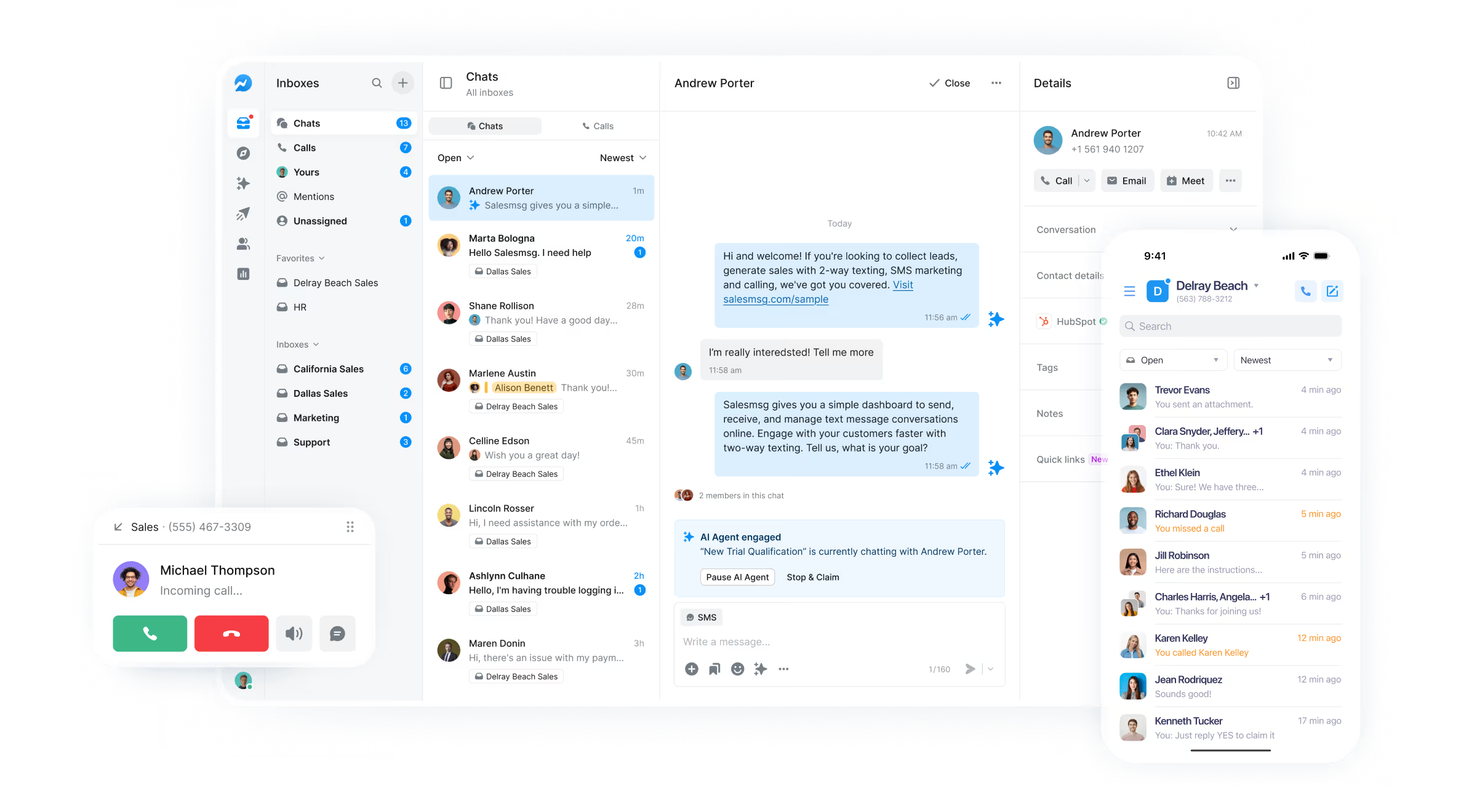
Discover how the right HubSpot SMS integration transforms retail sales teams from reactive to proactive, driving immediate engagement and measurable revenue growth through automated text messaging.
Why SMS Integration Has Become Critical for Retail Sales Teams
The modern buyer expects immediate responses, and retail sales teams that fail to meet this demand lose opportunities to more responsive competitors. Text messaging delivers a 98% open rate compared to email's 20%, and most messages are read within three minutes of receipt. For retail sales teams managing high volumes of inquiries across multiple locations, this immediacy translates directly to captured revenue that would otherwise slip away.
Sales Message (https://www.salesmessage.com/) addresses this challenge by integrating SMS capabilities directly into HubSpot, allowing your sales team to engage prospects through their preferred communication channel without leaving their CRM. When a potential customer visits your lot or showroom, fills out a web form, or calls after hours, automated SMS follow-up ensures no opportunity goes dark. This integration enables calls to ring on multiple devices including cellphones and browsers, supporting simultaneous access across your team while maintaining a centralized record of all interactions.
The shift to SMS isn't just about speed—it's about meeting customers where they already are. Retail buyers increasingly prefer text conversations over phone calls for initial contact, allowing them to engage on their own schedule. Sales teams using Sales Message's HubSpot integration report higher response rates and shorter sales cycles because they can initiate conversations when prospects are most engaged, rather than waiting for callbacks that may never come.
Key Capabilities Your HubSpot SMS Integration Must Have
Not all SMS integrations deliver the same value. The most effective software must include bidirectional sync with HubSpot, ensuring every text message, whether sent or received, appears in your contact records alongside emails, calls, and notes. This creates a complete communication history that empowers your team with context before every interaction. Sales Message accomplishes this with native HubSpot integration that treats SMS as a first-class communication channel within your CRM.
Automated workflows represent another critical capability. Your SMS integration should trigger messages based on specific contact behaviors or properties—missed calls, form submissions, deal stage changes, or time-based follow-ups. Sales Message enables immediate auto-text follow-up on missed calls, transforming potential dead ends into active conversations. When a prospect calls outside business hours, they receive an instant text acknowledgment and can continue the conversation via messaging, dramatically reducing lead leakage.
Multi-user access with proper attribution is essential for team environments. Sales Message supports territory routing and ensures that the right team member receives notifications when contacts respond, while managers maintain visibility across all conversations. The software also provides compliance features including opt-out management and message templates that help your team maintain professional standards while operating at scale. For retail operations managing multiple lot numbers or locations, the ability to segment conversations by territory while maintaining centralized oversight prevents confusion and ensures accountability.
How Automated SMS Follow-Up Captures Lost Revenue Opportunities
Every missed call represents a potential sale walking away. Research shows that 85% of callers who don't reach a live person won't call back, and 67% will contact a competitor instead. Sales Message's immediate auto-text follow-up on missed calls converts these lost opportunities into active conversations. When a prospect calls and doesn't reach your team, they receive an instant text message acknowledging their inquiry and offering to continue the conversation via messaging. This simple automation has proven to recover revenue that traditional voicemail-based systems allow to disappear.
Beyond missed calls, automated SMS workflows capture opportunities at every stage of the buyer journey. When a prospect downloads a pricing guide from your website, an automated text can arrive within seconds offering to answer questions. When a contact hasn't responded to emails for a week, an SMS check-in often breaks through where other channels failed. Sales Message's integration with HubSpot workflows means you can design sophisticated nurture sequences that combine email, SMS, and task creation, ensuring prospects receive the right message through the right channel at the right time.
The real power emerges when you combine automation with personalization. Sales Message allows you to include contact properties in your text templates, so automated messages reference the specific vehicle, product, or service the prospect inquired about. This maintains the personal touch that drives conversions while operating at a scale impossible with manual texting. Retail sales teams using these automated workflows report 30-40% increases in qualification rates because more prospects enter active conversations rather than going cold after initial contact.
Measuring SMS Performance Impact on Your Sales Pipeline
Implementing SMS without measurement leaves you guessing about impact. Sales Message's HubSpot integration automatically attributes SMS conversations to deals, allowing you to track which messages drive pipeline movement. You can measure response rates by message type, conversion rates from SMS-initiated conversations versus other channels, and time-to-response metrics that reveal how quickly your team engages prospects. These insights enable continuous optimization of your messaging strategy based on actual performance data rather than assumptions.
Key metrics to monitor include SMS response rate compared to email and call connection rates, average time from SMS send to prospect response, and percentage of deals influenced by SMS touchpoints. Sales Message's reporting within HubSpot allows you to build custom dashboards tracking these metrics by team member, territory, or product line. This granular visibility helps identify top performers whose messaging techniques can be shared across the team, and reveals bottlenecks where automation could improve efficiency.
The most valuable measurement focuses on revenue impact. By analyzing closed deals that included SMS touchpoints versus those that didn't, you can quantify the incremental revenue generated by text messaging. Many retail sales teams discover that deals involving SMS close 20-30% faster and at higher rates than email-only sequences. This data provides the business case for expanding SMS use across your organization and helps allocate resources to the channels delivering measurable results. Sales Message's integration ensures this attribution happens automatically, with SMS activity flowing into the same reporting infrastructure you use for other communication channels.
Implementation Steps for Immediate Sales Results
Getting started with Sales Message's HubSpot integration requires minimal technical setup but benefits from strategic planning. First, connect Sales Message to your HubSpot portal through the native integration, which takes less than 15 minutes and requires no developer resources. Configure user permissions to ensure team members have appropriate access levels, with sales representatives able to send and receive messages while managers maintain oversight capabilities. Set up territory routing rules if you operate multiple locations or have specialized sales teams handling different product lines.
Next, build your initial automated workflows starting with the highest-impact use cases. The missed call auto-response should be your first priority, as it delivers immediate results with minimal ongoing management. Create simple, professional templates that acknowledge the prospect's contact, provide your name and company, and offer to help via text. Avoid overly formal language—text messaging works best with conversational, direct communication. Set up form submission follow-ups next, ensuring website visitors receive rapid responses that maintain momentum from their initial inquiry.
Train your team on best practices before going live. Emphasize response speed—prospects expect text replies within minutes, not hours. Encourage concise messages that move toward a clear next step rather than lengthy explanations better suited to email or calls. Establish guidelines for when to transition conversations from SMS to phone calls, typically when discussions become complex or involve sensitive financial information. Sales Message's interface within HubSpot makes this transition seamless, allowing representatives to initiate calls directly from the text conversation thread.
Monitor performance during the first two weeks and adjust based on results. Review which message templates generate highest response rates and refine underperformers. Identify any bottlenecks in response time and address them through better notification settings or workload distribution. Collect feedback from your team about workflow friction points and optimize accordingly. Most organizations see measurable improvements in response rates and lead qualification within the first month, with compounding benefits as the team develops stronger SMS communication skills and workflows mature. The key is starting with core use cases, proving value quickly, and expanding systematically based on demonstrated results.